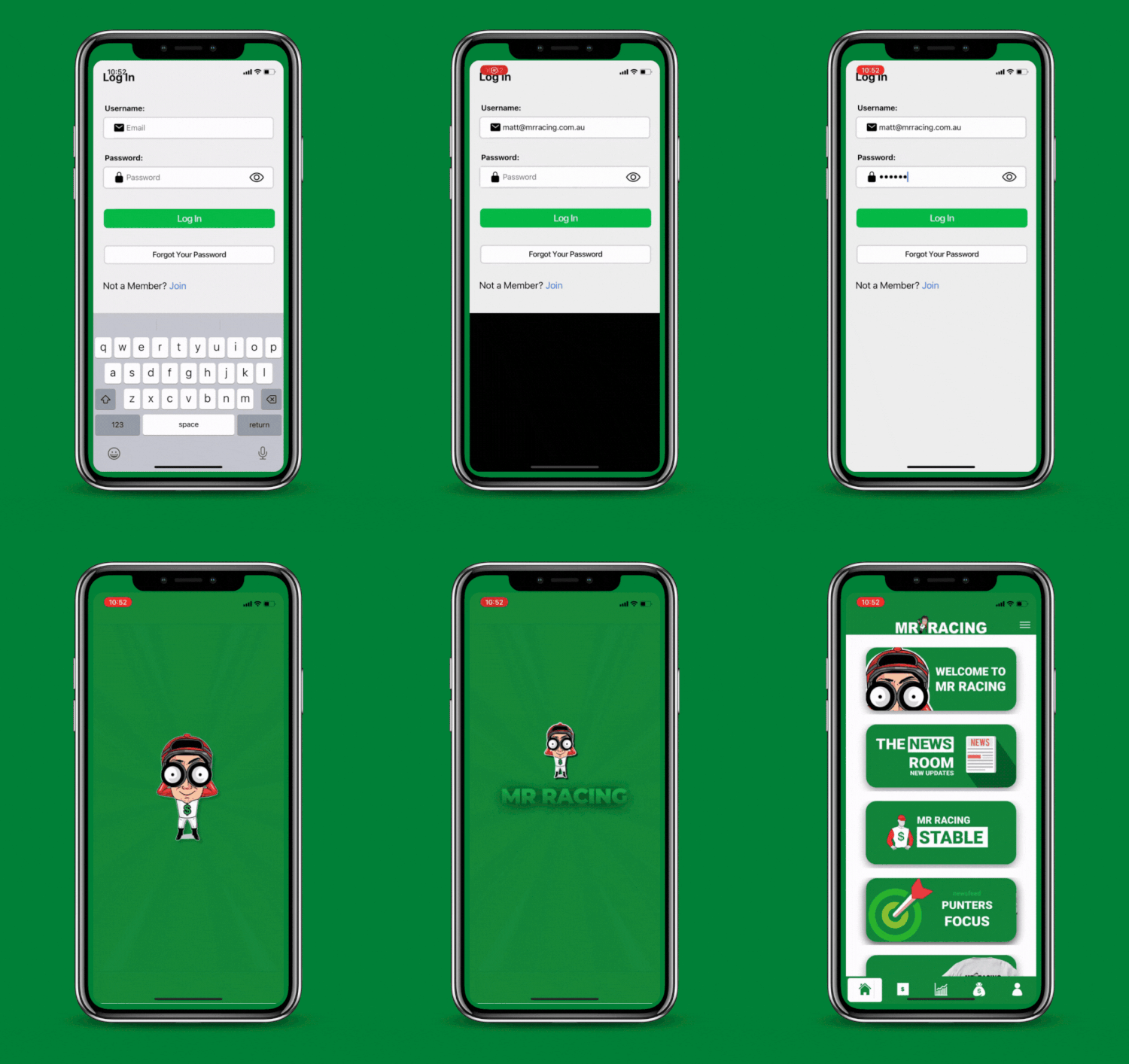
The first thing you want to do now that you have become a Mr Racing member is login for the very first time.
Step 2. Notifications
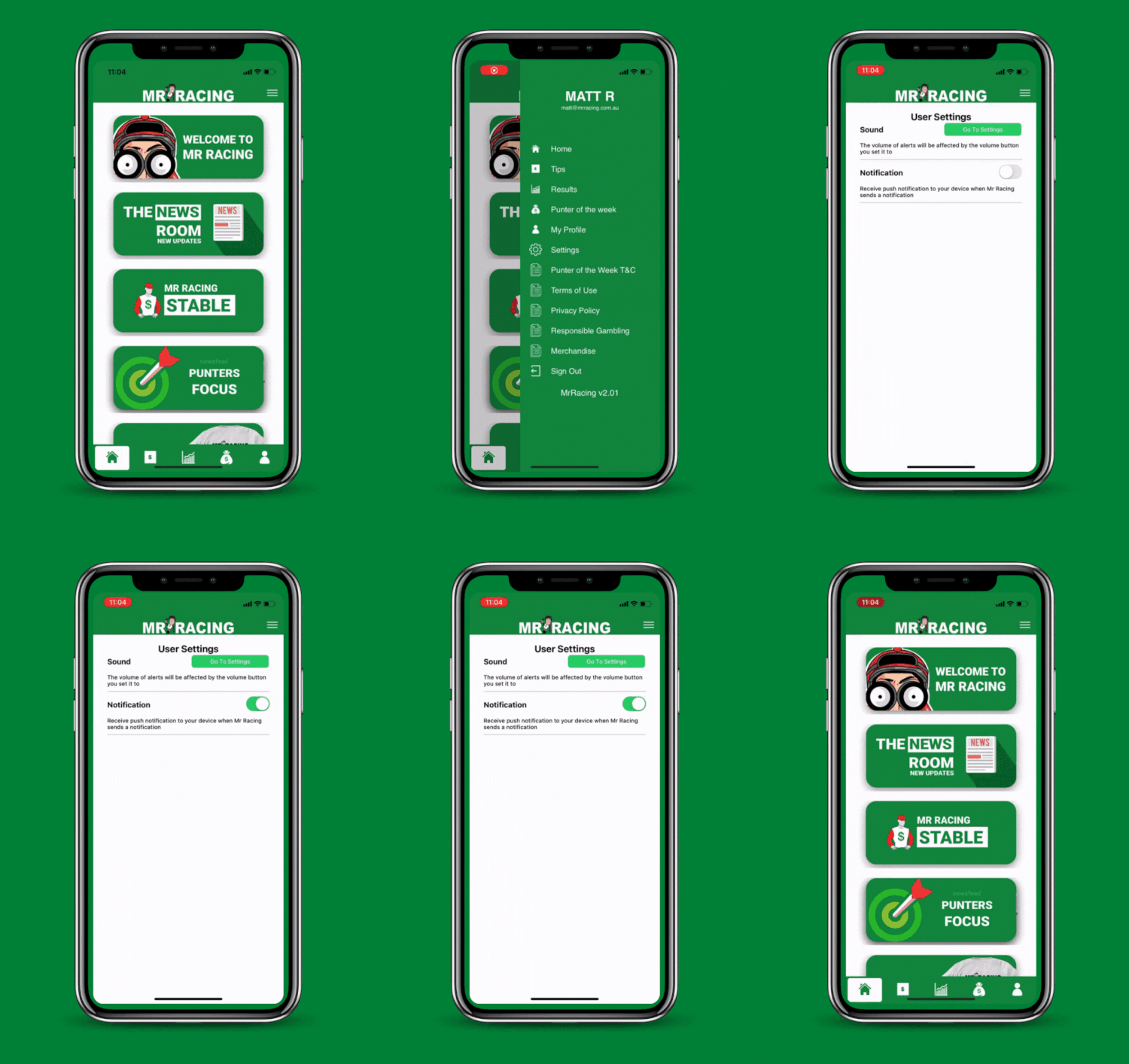
Now you have successfully downloaded our Mr Racing app it’s time to make your way over to the settings page and confirm your notifications are set to green. (on)
You can do this by clicking on the three menu lines at the top left-hand side of the app.
Scroll down until you see “settings.”
The last thing you want to do is have these turned off and our experts send a horse racing tip through for the next race at Flemington and you miss it.
Murphy’s Law kicks in then. It will win and you have not backed it.
Step 3. Home Page
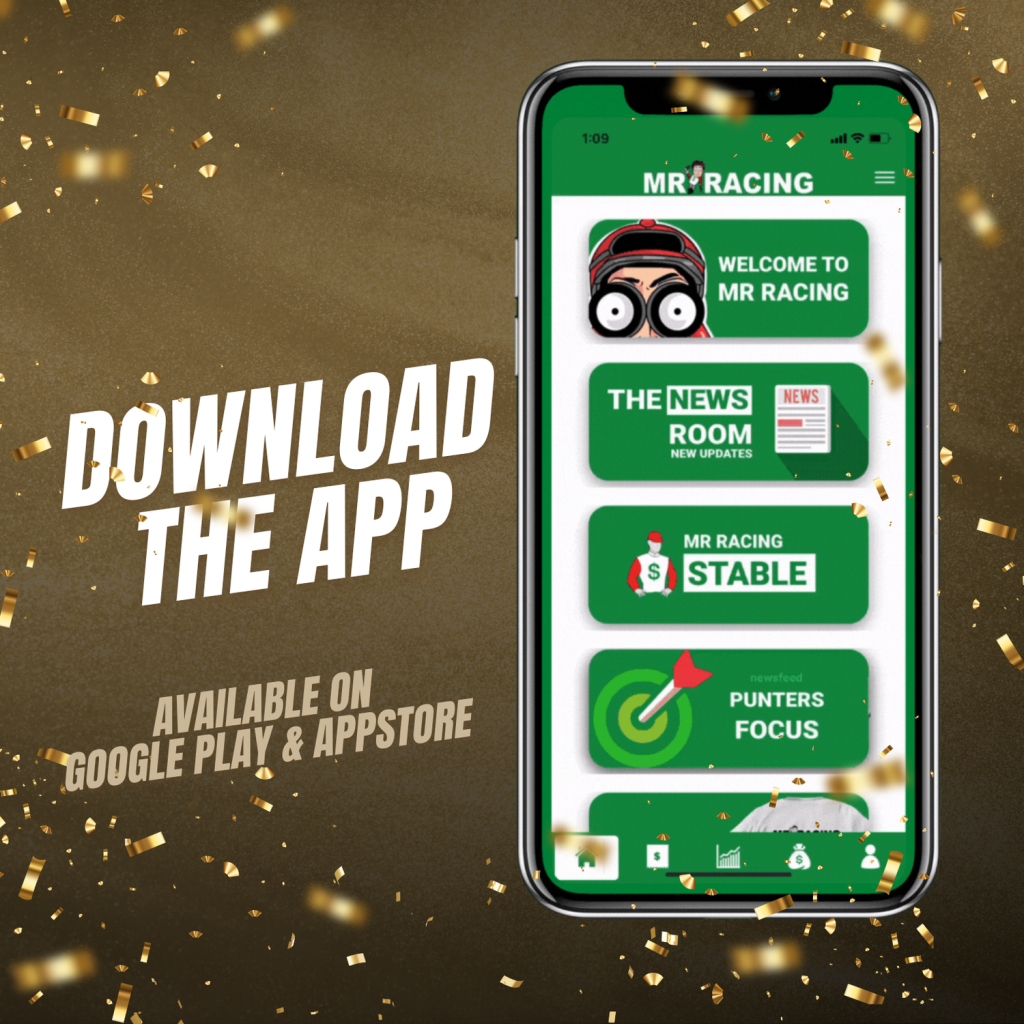
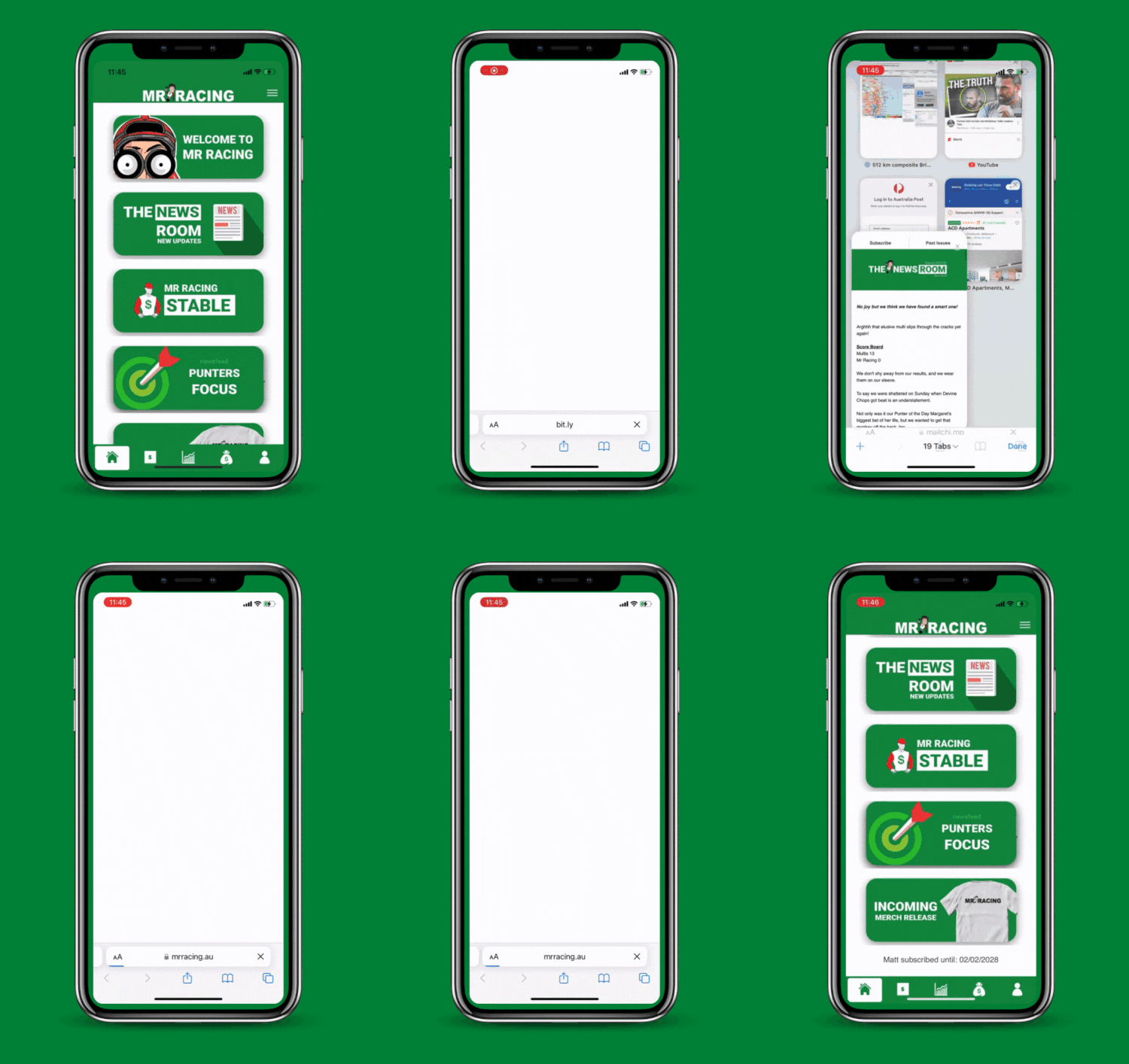
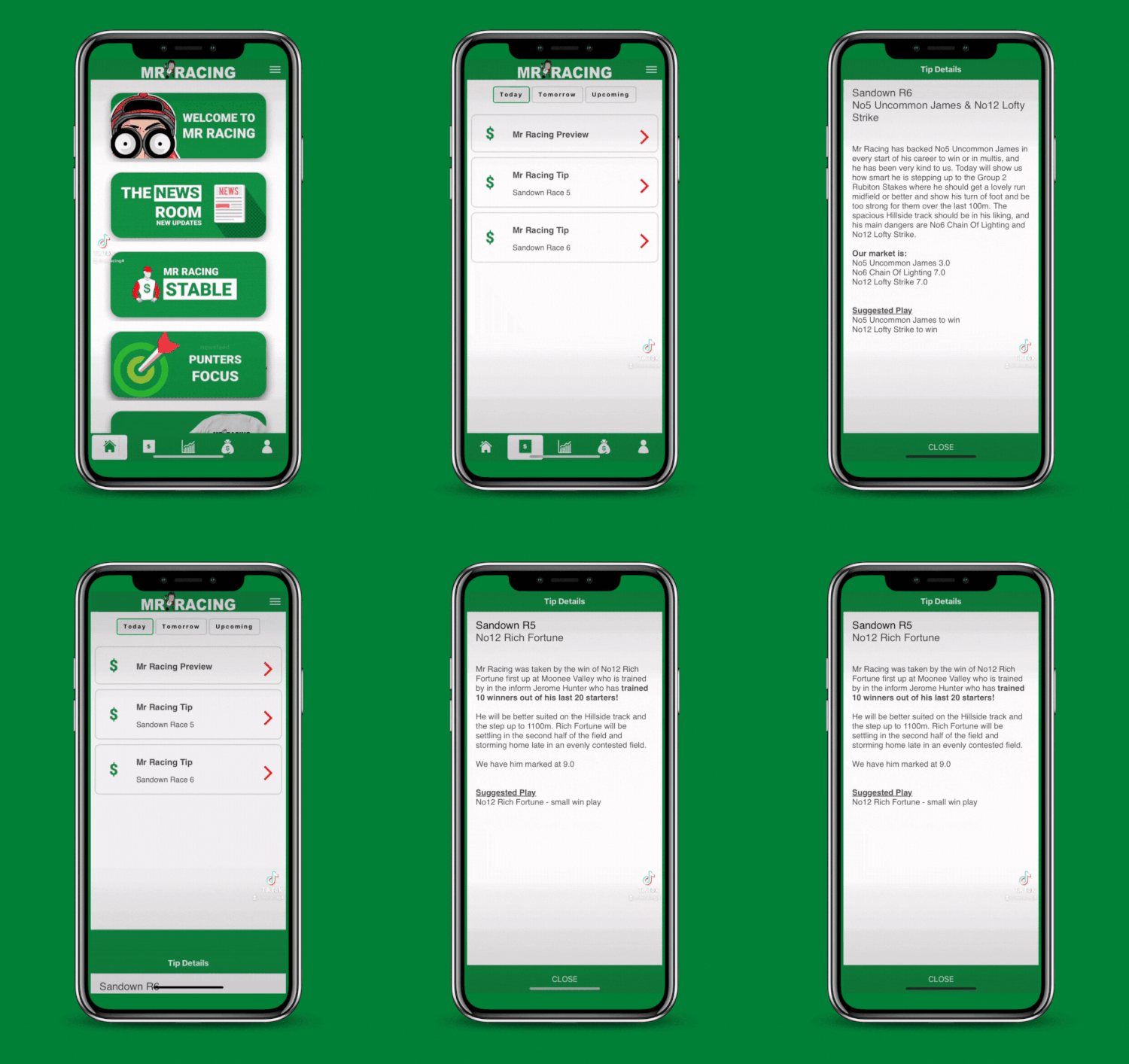
Click the tiles on our homepage to discover more:
The News Room Weekly volumes packed with the latest updates from MR Racing HQ.
MR Racing Stable Meet our horses, get trainer updates, and see if shares are available.
Punters Focus Monthly blogs from pro gamblers on betting tools like the Black Book.
Merchandise Shop our upcoming MR Racing merch line—click through to grab yours.
Step 4. Accessing Your Tips
We’ve taken great care to ensure that the Mr Racing App is user-friendly and easy to navigate. When a tip is loaded into the app you will receive a push notification which will pop up on your device. A little red icon will also be displayed on the tips icon at the bottom of the menu section to show you that there is a new tip available to you.
If there are no tips currently available for Mr Racing then you will see a message displayed that says “No Tip Available”
There are three pages where our tips will be displayed: Today / Tomorrow / Upcoming.
Step 5. Results
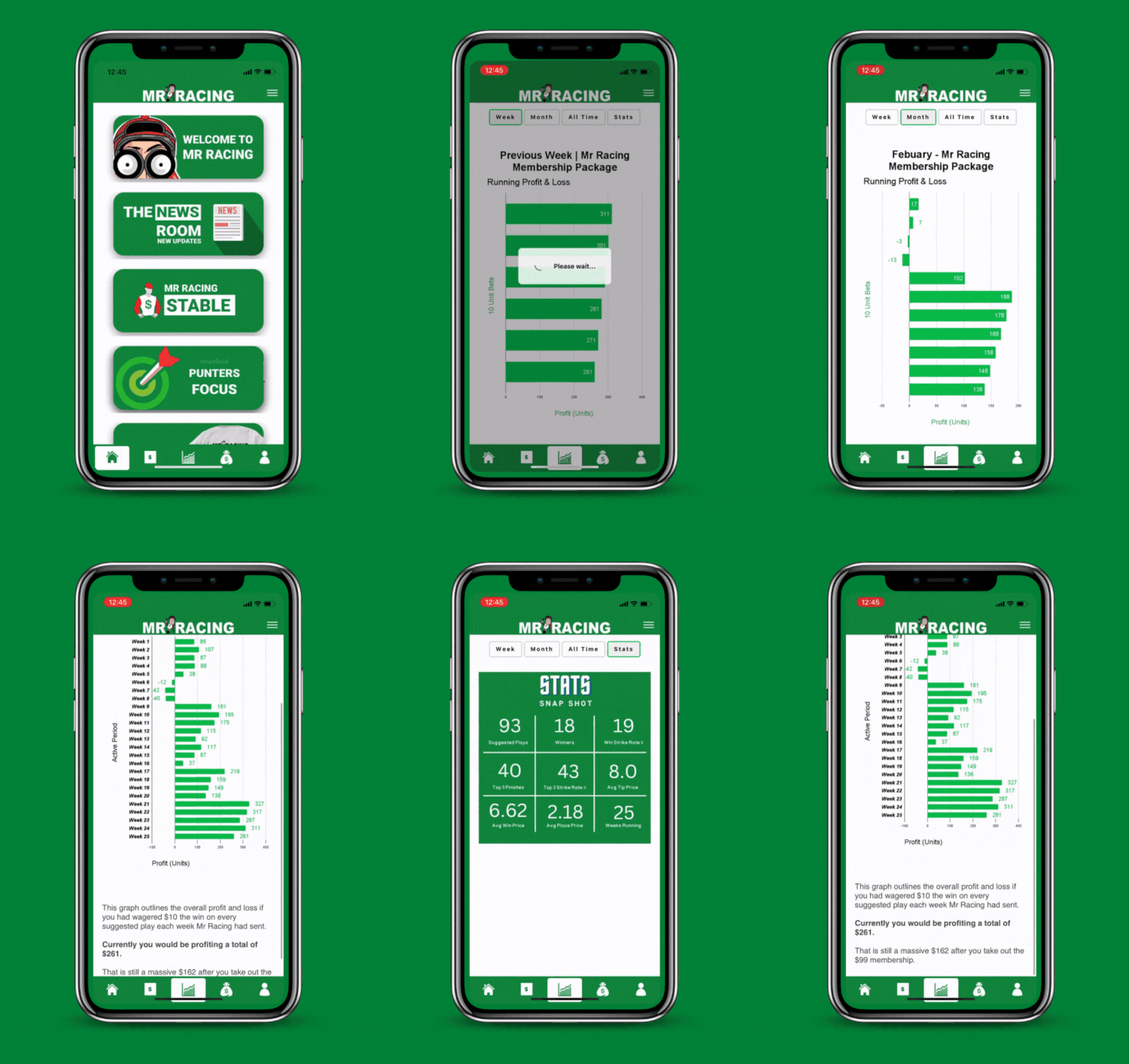
Stay up to date with all of Mr Racing’s results. Reviewing your results on a regular basis provides valuable insights into how our service is performing from week to week, month to month, and of course, overall.
You will find all this information in the graph icon in the centre of the menu section at the bottom of our app.
Step 6. Promotions
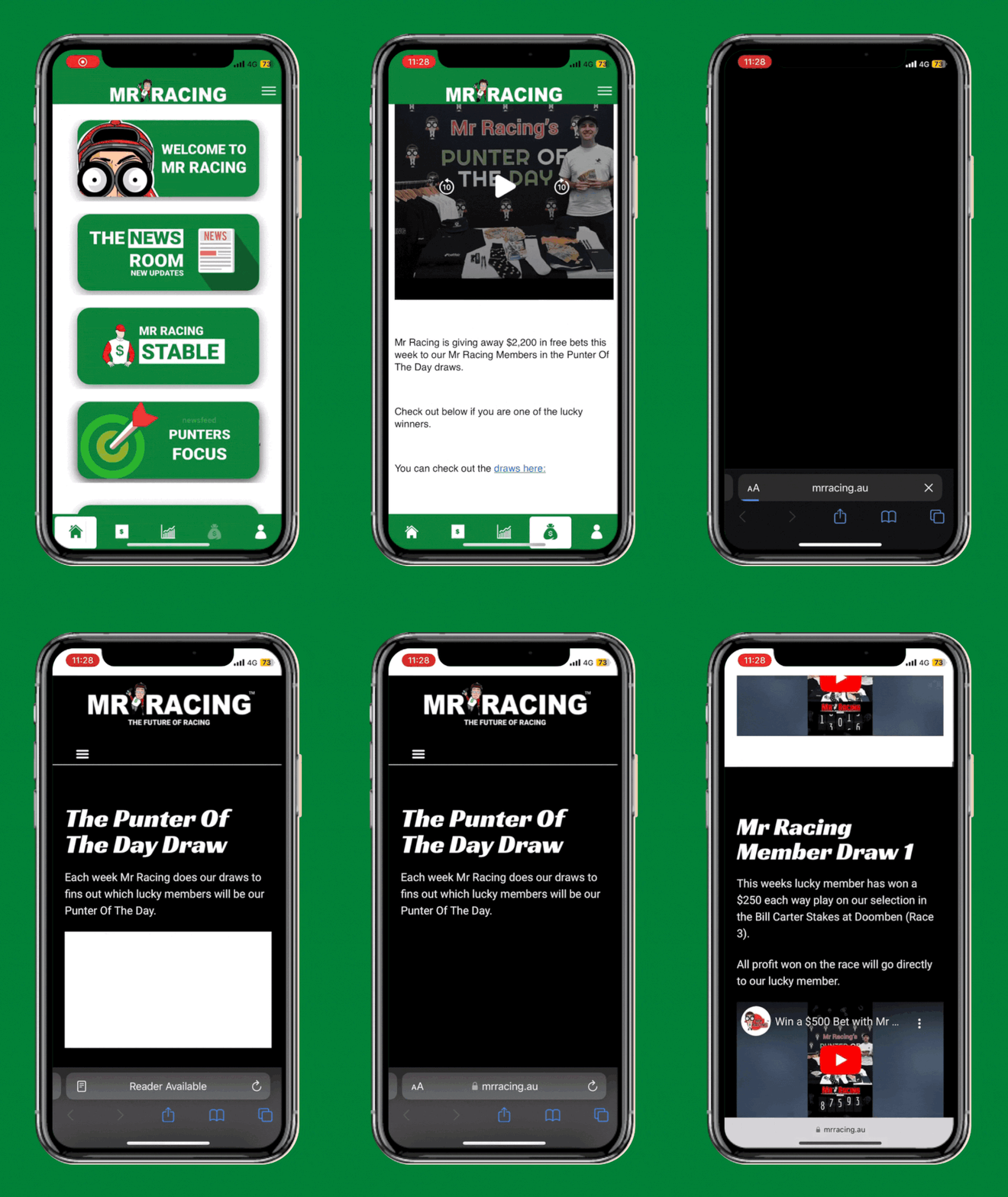
Mr Racing is the King Of The Promos and we have many giveaways each and every week.
Now that you are a member you gain FREE entry to every draw we do for your membership category.
The “My Profile” page will display your member number, for example it might be 10012.
Once we publish a draw that has been completed, click on the icon that looks like a money bag to take you to the promotions page.
A push notification will let you know when a draw is being done so make sure you check it out after everytime Mr Racing puts a horse racing tip in our app.
Step 7. My Profile
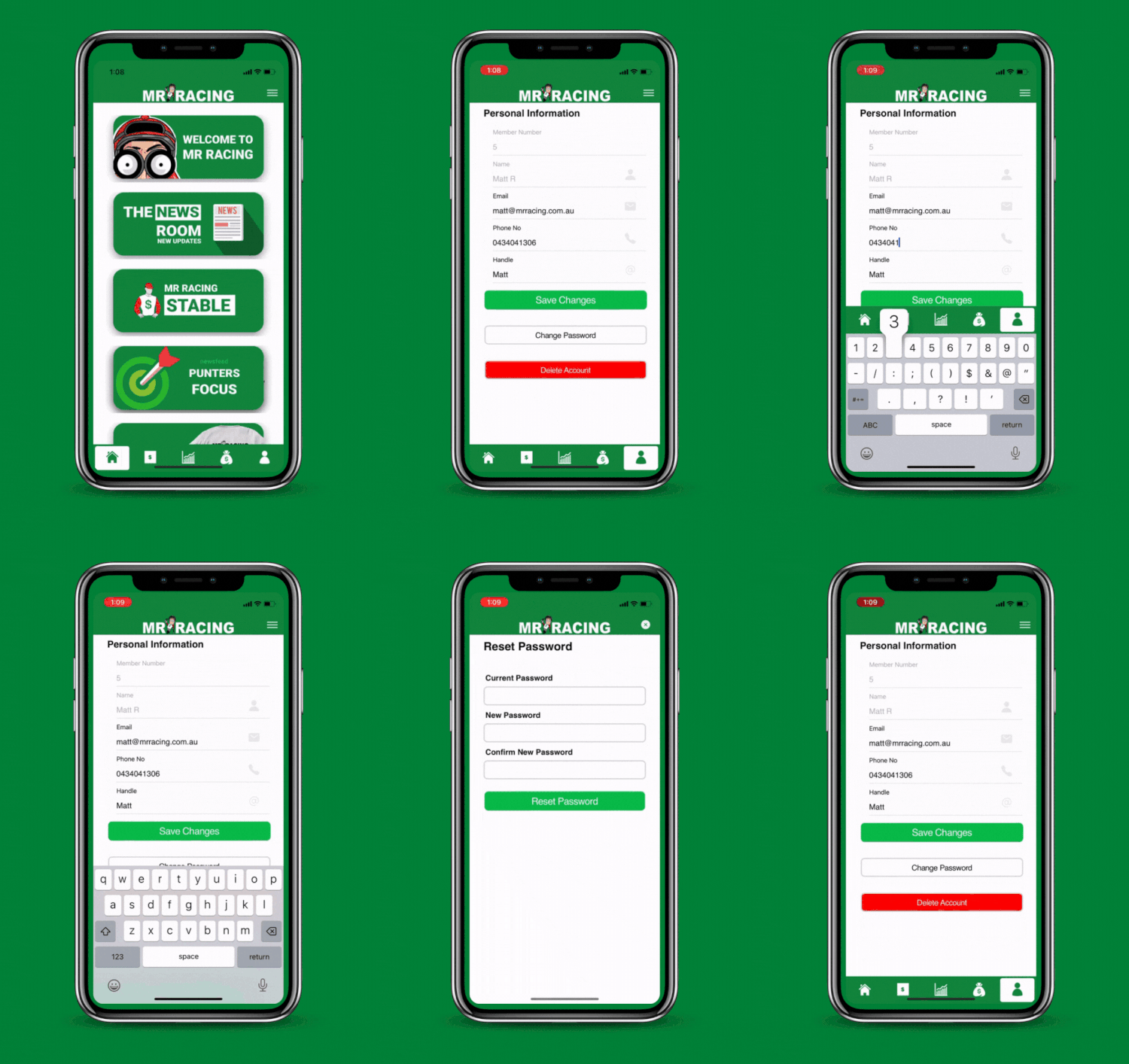
The My Profile section lets you view and manage your personal info, including:
Member Number
Name
Email
Phone Number
Handle
Password
Delete Account
You can easily update your email, phone, handle, or password by clicking the field you want to change.
Step 8. Main Menu
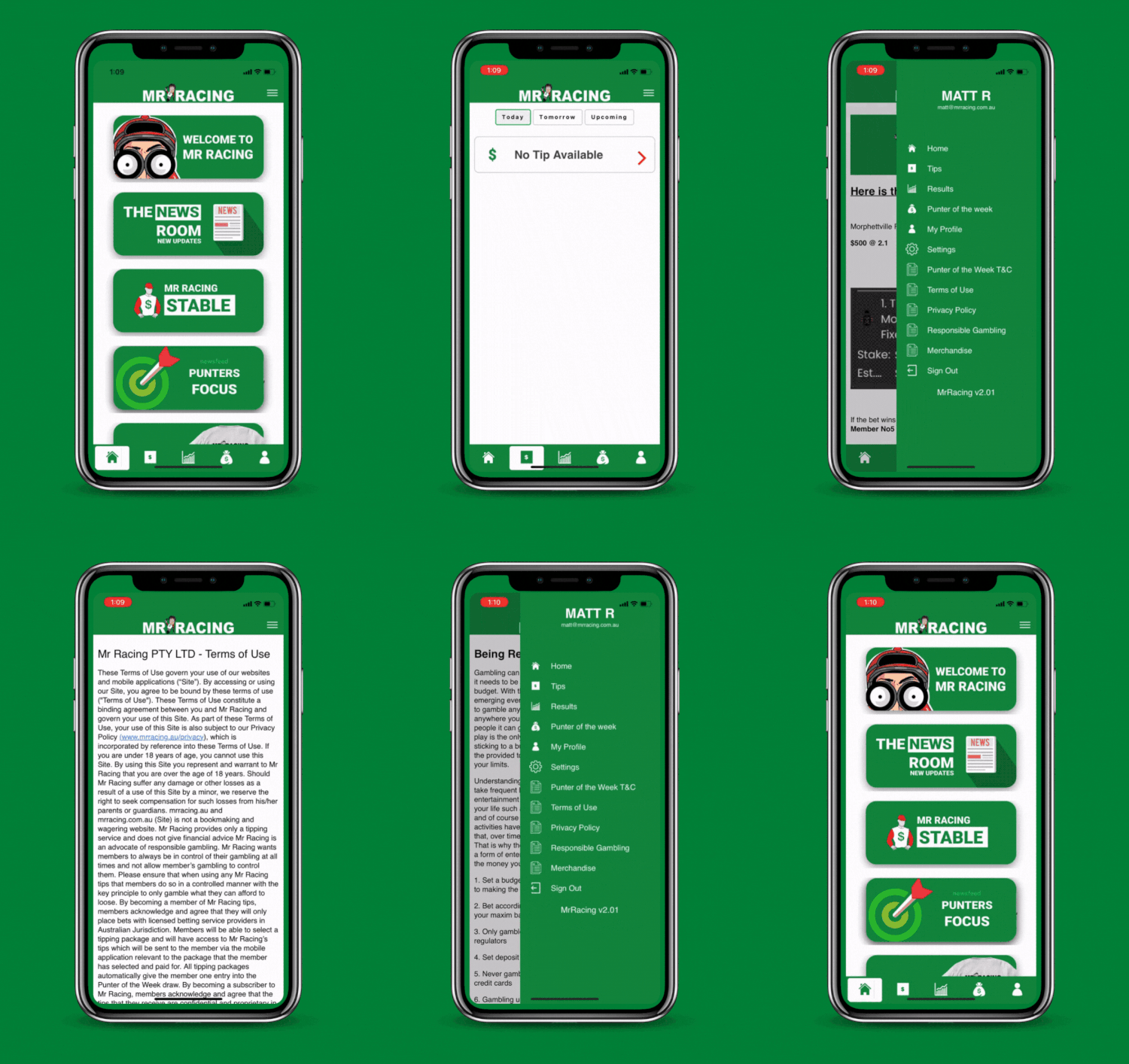
At the top right of your app you will see three little lines used as our menu section. Once you click on this it will drop down to the following pages:
Home, Tips, Results, Punter Of The Week, My Profile, Settings, Punter Of The Weeks T/C’s, Terms Of Use, Privacy Policy, Responsible Gambling, Merchandise, Sign Out
At the very bottom, you will see the display of the version number of our App you are using. You will need to update your app from time to time, but don’t worry the team at Mr Racing will inform you when to do so.
Contact us
Mr Racing has designed everything to be user friendly but we all know that sometimes things don’t go to plan.
If you require any assistance at any stage, just reach out to one of our team members via the email address below:
MR Racing Disclaimer: We are not a bookmaker and do not accept bets. We provide a tipping service only. By using our tips, you agree to place bets only with licensed providers.